Golf Pad: Golf GPS & Scorecard
- 4.6
- Rating
- 5.00M
- Installs
- Free
- Price

 Analysis by App-foxy
I spend enough time on golf courses to know that a GPS app is only useful when it helps me make a decision without becoming another distraction. Golf Pad: Golf GPS & Scorecard takes that practical approach. It is a sports app from Golf Pad GPS that combines course distances, scoring, statistics, shot tracking, and handicap tools in one place. I found it most convincing when I treated it as a round-management companion rather than a replacement for every piece of golf equipment.
The app is free to install and is suitable for everyone, with optional in-app purchases ranging from under a dollar to about thirty dollars per item. That makes the first step easy: you can try the basic experience before deciding whether extra paid value matters to your game. Its long presence in the mobile golf space also shows in the way the main tools fit together. Golf Pad GPS released it in June 2011, and the app has grown to more than five million installs, with an average rating of about four and a half stars from roughly thirty-seven thousand ratings.
How Golf Pad fits into an actual round
My first impression is that the app is designed around the rhythm of a round. I am not expected to jump between a separate rangefinder, paper scorecard, statistics app, and handicap calculator. The central experience is built around seeing useful distance information, recording what happened, and reviewing the result afterward. That sounds simple, but the benefit becomes clearer on an unfamiliar course, where remembering hole details and keeping an accurate score can otherwise take more attention than they deserve.
You May Also Like

 Blood Strike: 2.5 Anniversary
Blood Strike’s Loadouts Turn Every Drop Into a Tactical Gamble
A close look at Blood Strike’s custom loadouts: how fast access to signature weapons reshapes its battle royale rhythm, rewards preparation, and narrows the gap between fights.

 Pandora - Music & Podcasts
Pandora’s Music Is Easy to Start, but Harder to Recover
Pandora’s strength is its low-effort path from a seed to a station. Its weak spot is how much confidence it asks you to place in connection, setup, and quiet recovery.

 8 Ball Pool
 Is Built on Rivalries, Rematches, and Routine
A close look at the rivalries, rematches, shared routines, and unanswered safety questions that turn a quick pool match into a persistent mobile community.

 Samsung Music
’s Quiet Strength Is Playing What You Already Own
Its reach comes less from spectacle than from dependable access to a personal library. That simplicity is both the app’s strongest retention engine and its ceiling.

 AccuWeather: Weather Radar
AccuWeather Review: A Quick, Clear Forecast for Everyday Decisions
For everyday plans, the best forecast is the one you can understand quickly. AccuWeather makes rain timing, radar, and local conditions easy to act on, with a few trade-offs.

 Hill Climb Racing
Why Hill Climb Racing Still Turns Crashes Into One More Run
A tiny car, a bumpy hill and one more upgrade: Hill Climb Racing keeps resurfacing because its simple chaos makes every near-miss feel personal.
More From Our News Desk
View All News


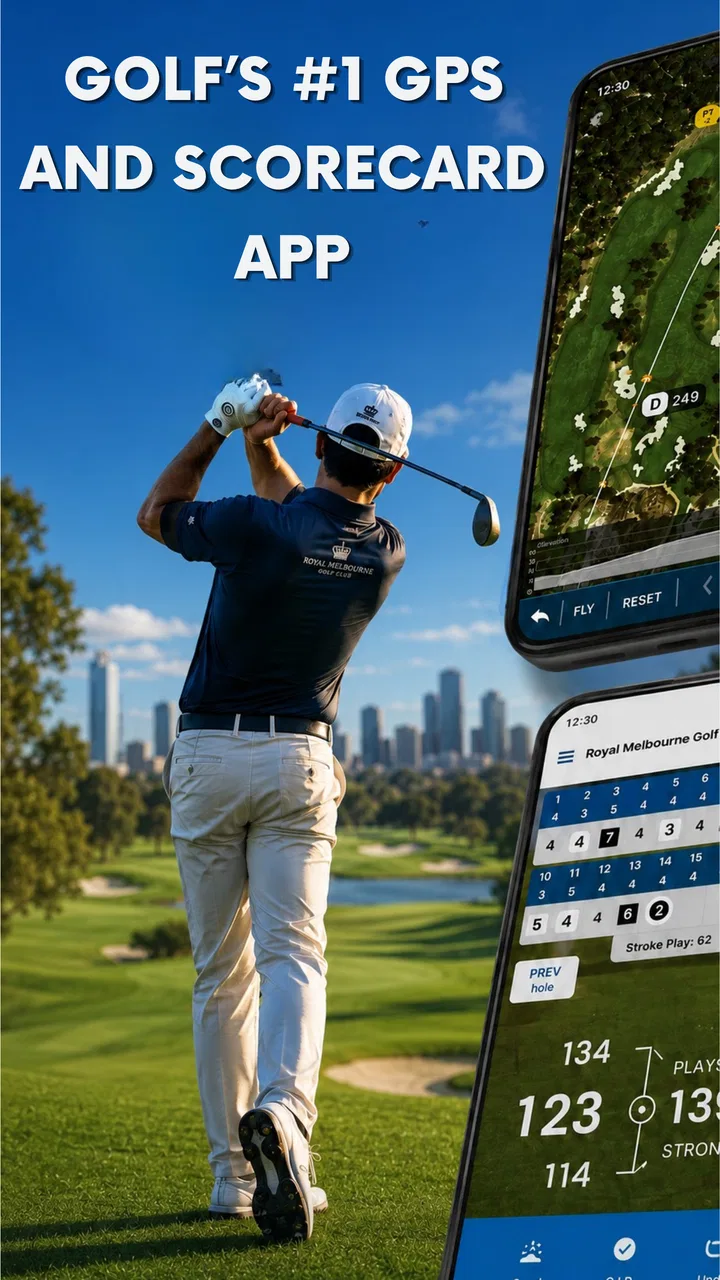
The GPS rangefinder is the feature most golfers will notice first. Instead of estimating a shot from a sprinkler head or relying only on course markers, I can use the phone to get a digital reference for planning. That is especially helpful when I am playing somewhere new or when the next target is not visually obvious. Still, a phone screen is not magic. I would use the distance as one input alongside the lie, wind, elevation, hazards, and the quality of my strike. The app can support club selection, but it cannot make a poor decision disappear.
The scorecard is just as important as the distance view. A digital scorecard reduces the chance of losing a paper card and gives the round a useful record afterward. I like this combination because it connects the decision before the shot with the result after it. If I repeatedly choose an ambitious target and then record a recovery shot, the pattern becomes easier to recognize later. That is more useful than simply knowing my final score.
Shot tracking adds another layer for golfers who want to understand their habits. I would not use it obsessively on every casual hole, because entering information can interrupt conversation and concentration. Used selectively, though, it can show where strokes are really going. A player who assumes putting is the main problem may discover that missed fairways, poor approach choices, or repeated recovery shots are costing more. That kind of self-check is one of the app’s strongest reasons to exist.
Making the scorecard work for improvement
The best workflow is to decide before the round how much information I am willing to record. For a relaxed nine holes, I might use the GPS view and basic scorecard only. For a practice round, I would add shot details on holes where I am testing a club or a strategy. This avoids turning the entire round into data entry while still creating enough evidence to guide the next practice session.
There is also a useful distinction between recording a score and understanding a score. A scorecard tells me what I made on each hole; statistics and shot tracking help explain why. If I use those tools consistently, I can compare my own expectations with what actually happens. That is a more honest way to choose practice priorities than simply hitting the shots I enjoy most at the range.
Handicap support makes the app more relevant for golfers who play with others or want a clearer sense of progress. I would still treat any handicap-related result as something to use carefully and consistently, because the quality of the conclusion depends on accurate entries and the golfing context behind them. The app can organize the information, but it cannot correct a score that was entered incorrectly or a round that was recorded inconsistently.
Where the free experience earns its place
Because the app is free, its basic value is easy to judge without committing money first. For me, the strongest free-access argument is convenience: one app can handle the practical jobs I would otherwise split across a paper card, a basic distance tool, and memory. That is meaningful even for a golfer who does not care about detailed analysis.
The optional purchases change the value question rather than making the app automatically better. A golfer who only wants occasional distances and a simple scorecard may find free access sufficient. Someone who plays regularly and uses shot tracking, statistics, or handicap information as part of a deliberate improvement routine may get more from paid options. Since purchases are offered individually from around one dollar up to roughly thirty dollars, I would inspect the exact feature attached to each purchase instead of assuming every golfer needs the most expensive choice.
That pricing structure also makes the app easier to approach than a product that demands a large commitment before I can test it. I can begin with the free tools, see whether the GPS workflow suits me, and then decide whether additional access solves a problem I genuinely have. The sensible purchase is the one that removes a real limitation in my routine, not the one that simply adds more data.
I would be cautious about paying if I rarely play, already own a golf watch or dedicated rangefinder that I trust, or dislike entering information during a round. In those cases, the free version may still be worth trying as a scorecard, but paid features may not change the experience enough to justify spending. The app’s value depends heavily on whether I will actually use the records it creates.
Small habits that make the app more useful
One practical habit is to check the distance before choosing a target, not after taking the club from the bag. That keeps the GPS view part of the planning process instead of turning it into a confirmation tool. I also prefer to look at the landing area before looking at the number. A precise distance to a poor target is still a poor strategy.
Another useful approach is to track only meaningful shots at first. If I am working on course management, I might record tee shots, approach decisions, and recovery attempts while leaving routine tap-ins alone. This creates a clearer picture without making the phone feel like a second job. Once the habit feels natural, I can add more detail when a specific question needs answering.
For post-round review, I would look for repeated situations rather than isolated mistakes. One missed green says little. Several rounds showing trouble from the same distance, side of the fairway, or type of recovery give me something actionable. The app becomes more valuable when I use its records to change what I practice, not when I collect statistics simply because they are available.
A further trade-off is battery and attention. Any phone-based GPS session asks me to keep the device available during the round, and frequent screen checks can become annoying. I would start with a full charge, keep the phone accessible without making it intrusive, and avoid opening the app for every minor decision. Golf Pad works best when it supports my routine quietly rather than controlling it.
How it compares with familiar alternatives
Compared with a paper scorecard, the app offers a much better record of the round and can connect scoring with statistics, shot tracking, and handicap information. Paper is faster for some golfers and never needs a signal or battery, but it cannot help with digital distance guidance or later analysis. If I only want to write down strokes, paper remains perfectly adequate. If I want the round to teach me something afterward, Golf Pad has the stronger case.
Compared with a dedicated GPS watch or handheld rangefinder, the phone app may be more approachable because I can try it without buying another device. A separate device can be more convenient for quick glances and may feel less distracting once I am used to it. Golf Pad’s advantage is the broader record around the distance: scoring, statistics, shot tracking, and handicap tools live together. I would favor the app for flexibility and value testing, while a committed golfer who prioritizes instant access and minimal phone handling may prefer dedicated hardware.
Compared with a basic scorekeeping app, Golf Pad has a wider purpose. It is not just a digital replacement for a pencil. The combination of rangefinder functions and performance records gives me a way to connect course decisions with outcomes. The trade-off is that broader functionality can mean more setup and more choices. A very casual golfer may prefer something simpler, especially if detailed tracking feels like work.
Compared with a professional caddie, the app is obviously limited. It can present information and preserve records, but it does not know how confident I feel over a shot, how the wind is changing around a tree, or whether today is the wrong day to attack a tucked pin. I see it as a tool for better preparation, not as an authority that should overrule judgment.
Who will get the most from it
I think the app suits golfers who play on different courses, want a digital scorecard, or are beginning to take improvement seriously. It is particularly useful for someone who has wondered where their strokes go but has never kept enough information to answer that question. The free entry point also makes sense for a golfer who wants to test phone-based GPS before buying a watch or rangefinder.
A realistic example would be a weekend golfer arriving at a course they have never played. Before each unfamiliar hole, they can use the GPS view to frame the decision, record the score afterward, and note a few important shots rather than trying to remember the entire round. Later, the statistics can reveal whether the biggest issue was aggressive tee selection, approach accuracy, or recovery play. That is a practical loop: plan, record, review, adjust.
It can also help a small group of friends who want more consistent scoring without carrying several paper cards. Each player still needs to enter accurately, and nobody should assume a digital record is automatically correct. The benefit is organization, especially when the group wants to look back at previous rounds instead of treating every score as a separate event.
I would recommend skipping it if I strongly prefer a watch, never want my phone involved on the course, or only play occasional social holes where a simple card is enough. I would also skip paid access if I am not prepared to review the information afterward. Data that is never examined is not improvement; it is just extra tapping.
What may frustrate you
The main friction is the balance between convenience and interaction. A phone screen can be useful, but it can also pull me away from the course. Entering shots or checking distances too often may slow my routine, particularly when I am playing with people who want a quick round. The answer is not to use every tool on every hole. The app rewards a selective approach.
GPS guidance should also be treated as an aid rather than a guarantee. Course conditions, personal positioning, and the practical shape of a hole still matter. Even a well-presented number does not tell me whether the safest miss is left or right, whether a hazard is worth challenging, or how a bad lie will affect contact. Golf Pad can improve the information available to me, but strategy remains my responsibility.
There is a learning curve in deciding which records matter. New users may be tempted to track everything immediately and then abandon the habit because it feels tedious. I would begin with scoring and distances, add shot tracking for a specific purpose, and only then decide whether deeper statistics deserve a regular place in my rounds. That staged approach is more sustainable than trying to become a full-time analyst overnight.
The free-versus-paid decision also requires restraint. Free access provides a low-risk way to see whether the app fits, while optional purchases can make sense for regular golfers who use the extra tools. But a purchase is not a substitute for practice, and more detailed records will not automatically lower scores. I would pay only after identifying a feature I use often enough to justify the cost, especially when the available items span from about $0.99 to $29.99.
My recommendation after using it
Golf Pad: Golf GPS & Scorecard is a convincing choice for golfers who want distances, scoring, and performance records in one mobile tool. I like that it can begin as a free convenience and grow into a more structured part of a golfer’s routine. Its best quality is not any single feature; it is the connection between what I planned, what I played, and what I can learn afterward.
I would recommend starting with the free experience during several normal rounds rather than judging it during one rushed outing. Use the GPS view when it genuinely helps, keep the scorecard accurate, and track only the shots that answer a question. If that process becomes useful, optional purchases may offer worthwhile paid value. If it feels like too much phone work, a paper card, watch, or dedicated rangefinder may suit you better.
For me, the final verdict is positive with a clear condition: Golf Pad is worth trying when you want your golf decisions and results connected in one place. It is not the right choice for every playing style, and it cannot replace course judgment or a dedicated device for golfers who want hands-free simplicity. Still, as a free sports app with meaningful room for deeper use, it gives both casual and improving golfers a practical way to make each round more informative.
FAQs for Golf Pad: Golf GPS & Scorecard
01What features does Golf Pad offer for golf enthusiasts?
Golf Pad provides a comprehensive suite of features including GPS rangefinder, detailed scorecards, shot tracking, and statistics analysis. It supports over 40,000 courses worldwide, offering accurate distances to the front, middle, and back of the green. Additionally, it includes a wearable integration and a club recommendation tool to enhance your playing experience.
02Is Golf Pad compatible with both Android and iOS devices?
Yes, Golf Pad is available for both Android and iOS platforms. It supports a wide range of devices, ensuring a seamless experience regardless of your smartphone. The app is regularly updated to maintain compatibility with the latest operating systems, providing users with a smooth and reliable performance on both platforms.
03Are there any in-app purchases or subscription requirements?
Golf Pad offers a free version with basic features, but to access advanced functionalities, users may opt for a premium subscription. The premium version includes features like club tracking, shot tracking, and enhanced statistics. Subscription options are available on a monthly or yearly basis, allowing users to choose what best fits their needs.
04How accurate is the GPS functionality in Golf Pad?
The GPS functionality in Golf Pad is highly accurate, leveraging advanced mapping technology to provide precise distances on the course. It integrates seamlessly with your device's GPS capabilities to ensure real-time data. Users have reported the app’s accuracy as being on par with dedicated golf GPS devices, making it a reliable companion on the course.
05Does Golf Pad support wearable devices?
Yes, Golf Pad supports a variety of wearable devices, including smartwatches. It offers a dedicated app for wearables, allowing users to view distances, track shots, and input scores directly from their wrist. This feature enhances convenience and enables golfers to focus more on their game and less on their devices.
Pros
- Accurate GPS for precise distance measurement.
- User-friendly interface enhances game tracking.
- Supports Apple Watch for easy score input.
- Detailed statistics for performance analysis.
- No ads in the premium version.
Cons
- Free version has limited features.
- Battery drain on continuous GPS use.
- Occasional syncing issues with devices.
- Requires internet for full functionality.
- Premium features require subscription.

Golf Pad: Golf GPS & Scorecard
Gallery